7 Candidate Feedback Form Template Options for Interviews
Every interviewer walks away from a conversation with a gut feeling about a candidate. The problem is that gut feelings don't scale, they contradict each other across panel members, and they're nearly impossible to defend when a hiring decision gets questioned. A solid candidate feedback form template solves this by giving interviewers a consistent framework to evaluate and score applicants, so decisions are based on evidence, not vibes.
Without a standardized form, feedback tends to arrive as vague one-liners in Slack messages or scattered notes that nobody revisits. That makes it harder to compare candidates fairly, slows down your hiring pipeline, and opens the door to unconscious bias creeping into decisions. Structured forms fix that by prompting interviewers to assess specific competencies, rate them on a defined scale, and back up scores with concrete observations.
At Olibr, our free ATS and AI-powered interview tools already help recruiters streamline candidate evaluation and scoring at scale. But whether you use a platform like ours or run a more manual process, having the right feedback form is foundational. This article breaks down seven candidate feedback form templates, covering different interview stages, formats, and team sizes, so you can pick the one that fits how your team actually hires.
1. Olibr interview scorecards inside the ATS
Olibr builds interview scorecards directly into its free ATS, so your interviewers evaluate candidates inside the same system where you manage job postings, pipelines, and candidate profiles. There is no need to export data, chase down feedback in separate tools, or manually reconcile scores after the fact. Everything your team captures stays connected to the right candidate and the right stage.

What it is
An Olibr interview scorecard is a structured evaluation form embedded in the candidate's profile within the ATS. Each interviewer gets their own scoring view tied to a specific interview stage, meaning feedback stays organized by round and reviewer rather than piling into a shared document that everyone edits simultaneously. Your hiring manager sees all scores from all interviewers in one place before making a call.
When it works best
This option works best when your team is running multiple open roles simultaneously and needs candidate feedback centralized. If you are managing five or more positions at once and have more than one interviewer per role, a standalone candidate feedback form template in Word or Google Docs turns into a coordination problem fast.
Centralized scorecards eliminate the back-and-forth of chasing interviewers for their notes before a debrief call.
What you can capture and score
Inside the scorecard, you can evaluate candidates across competency-specific criteria you define per role. Common fields include communication skills, technical depth, problem-solving approach, culture fit rating, and a final hire or no-hire recommendation. Each criterion supports a numerical rating scale alongside an open-text field for qualitative notes, so reviewers cannot drop a number without backing it up with an observation.
Olibr's AI-powered interview feature also feeds automated scoring signals directly into the scorecard, including facial expression analysis and response quality metrics captured during AI-conducted interviews. This adds a consistent data layer alongside human evaluator scores, which is especially useful when different interviewers weight criteria differently.
Setup and workflow
Setting up a scorecard on Olibr takes a few minutes. You open a job in the ATS, define the evaluation criteria for that specific role, and assign interviewers to the appropriate pipeline stages. The system generates individual scoring views for each assigned team member. After an interview, the interviewer logs in, fills in scores and notes, and submits. All responses then aggregate on the candidate's profile automatically, so the hiring manager sees a consolidated picture before the decision meeting.
Pricing and access
Olibr is free to use for the ATS, CRM, job posting, candidate database, hiring-manager collaboration and candidate search. Access is kept by contributing 50 candidate profiles from your own database per active user every 30 days, which keeps the platform running without billing users directly. AI video interviews and bulk resume parsing are paid from a wallet your company tops up, while skill assessments are free. Contributed profiles stay private to your company for 30 days, and for 14 more days while you are still working with the candidate, before they join the shared pool.
2. Microsoft Forms
If your team already runs on Microsoft 365, building a candidate feedback form template inside Microsoft Forms is a natural fit. The tool sits inside the same ecosystem as Outlook, Teams, and SharePoint, so sharing forms and collecting responses requires no new software or separate logins for your interviewers.
What it is
Microsoft Forms is a web-based form builder included with Microsoft 365 subscriptions. You design a form using a drag-and-drop interface, share the link with interviewers, and collect their responses in a structured format that exports directly to Excel for analysis.
When it works best
This option works best when your organization already uses Microsoft 365 and your hiring process is relatively straightforward. Small-to-mid-size teams running a handful of roles at a time get the most value here, since the form operates independently from any ATS and requires manual effort to connect feedback to specific candidates or job stages.
If your team lives in Teams and Outlook all day, Microsoft Forms keeps interviewers in familiar territory and reduces friction in the feedback process.
What you can capture and score
You can build questions using multiple-choice rating scales, text fields, and Likert scale options. Common fields for an interview evaluation include competency ratings, open-ended behavioral observation notes, and a final recommendation. Microsoft Forms does not natively support role-specific scoring rubrics or weighted criteria, so you configure those manually inside the form itself.
Setup and workflow
Open Microsoft Forms through your Microsoft 365 account, create a new form, and add your evaluation questions. Share the link with interviewers via email or Teams. Responses collect in real time and you can export them to Excel for side-by-side candidate comparison after interviews conclude.
Pricing and access
Microsoft Forms is included with all Microsoft 365 plans, starting at $6 per user per month for Business Basic. There is no standalone free tier for business use, though personal Microsoft accounts get limited access through the free consumer plan.
3. Google Forms
Google Forms gives you a free, browser-based form builder that requires nothing beyond a Google account. It connects natively with Google Sheets, which makes collecting and reviewing interviewer responses straightforward without any extra software setup.
What it is
Google Forms is a no-cost form tool built into Google Workspace. You create a form, share a link, and responses populate a connected spreadsheet automatically. For teams that already use Gmail, Drive, and Docs, it fits right into existing workflows without any learning curve.
When it works best
This option works best when your team is small, budget-conscious, and already working inside Google Workspace. It suits early-stage companies or lean hiring teams running a limited number of roles at once, where the overhead of managing a dedicated ATS is not yet justified. If you need a quick candidate feedback form template you can deploy in under 30 minutes, Google Forms delivers that.
Google Forms works well as a starting point, but you will outgrow it quickly once you are running more than a few roles simultaneously.
What you can capture and score
You can add multiple-choice questions, dropdown menus, linear scale ratings, and open-text fields to capture competency scores and qualitative notes. There is no built-in scoring logic or weighted rubric system, so you configure any scoring framework manually inside the form or handle calculations directly in the linked Google Sheet.
Setup and workflow
Go to Google Forms, create a new form, and build your evaluation questions. Share the link with interviewers through email or a Slack message. Responses flow automatically into a connected Google Sheet, where you can sort, filter, and compare candidates side by side after interviews wrap up.
Pricing and access
Google Forms is completely free with any Google account. Teams using Google Workspace for Business start at $6 per user per month, which includes Forms alongside the full suite of Google productivity tools.
4. SurveyMonkey
SurveyMonkey is a dedicated survey platform that goes further than Google Forms or Microsoft Forms when it comes to built-in logic and response analysis. It gives you more control over how your candidate feedback form template is structured, particularly when you need branching questions or pre-built rating scales that adapt based on earlier answers.
What it is
SurveyMonkey is a cloud-based survey and form tool that lets you build structured evaluation forms using a wide library of question types and pre-designed templates. It operates independently from any productivity suite, so your team accesses it through a browser without needing a Microsoft or Google account to participate.
When it works best
This option works best when you need more advanced form logic than Google Forms or Microsoft Forms offers. If different interviewers cover different competency areas, you can use skip logic to route each person to only the questions relevant to their interview focus, which keeps forms cleaner and reduces incomplete submissions.
SurveyMonkey's branching logic is especially useful when panel interviewers each own a specific section of the evaluation rather than scoring the same criteria independently.
What you can capture and score
You can add star ratings, numerical scales, matrix grids, and open-text fields to your evaluation form. Matrix questions work particularly well for scoring multiple competencies in a single table view, which cuts down on scroll time during or after an interview.
Setup and workflow
Create a free SurveyMonkey account, build your evaluation form, and share the link directly with interviewers. Responses collect in the dashboard, where you can view individual submissions or aggregated response summaries across all interviewers for a given candidate.
Pricing and access
SurveyMonkey offers a free plan with a 10-question limit per form and capped responses. Paid plans start at around $25 per user per month, which removes those limits and unlocks exports, custom branding, and advanced logic features.
5. Airtable
Airtable sits between a spreadsheet and a database, which makes it a flexible option when you want more structure than Google Sheets but are not ready to commit to a full ATS. You can build a custom candidate feedback form template that feeds directly into a relational database, keeping all your hiring data organized and queryable in one place.
What it is
Airtable is a cloud-based database tool that lets you create forms, tables, and views that link to each other. When an interviewer submits a form, that response lands in a structured table where you can sort, filter, group, and connect records across different bases, such as linking a feedback record to a specific candidate profile and job opening simultaneously.
When it works best
This option works best when your team wants more data structure than a basic form tool provides but does not need a full recruiting platform. It suits hiring teams that already use Airtable for operations or project management and want to keep their candidate evaluation data inside the same environment without switching contexts.
Airtable's linked records let you connect interviewer feedback directly to a candidate row, which eliminates the manual cross-referencing that breaks down in standalone form tools.
What you can capture and score
You can build fields for numerical ratings, single-select competency grades, long-text observation notes, and checkbox recommendations. Linked record fields let you attach feedback to a specific candidate and role without duplicating data, and formula fields can calculate average scores across multiple interviewers automatically.
Setup and workflow
Create a free Airtable account, build a table for candidates and a separate table for feedback records, then use Airtable Forms to generate a shareable link for interviewers. Submitted responses populate your feedback table instantly and link to the correct candidate row if you configure the relationship correctly during setup.
Pricing and access
Airtable offers a free plan that supports up to five editors and limited records per base. Paid plans start at $20 per user per month and unlock more records, automation runs, and advanced field types.
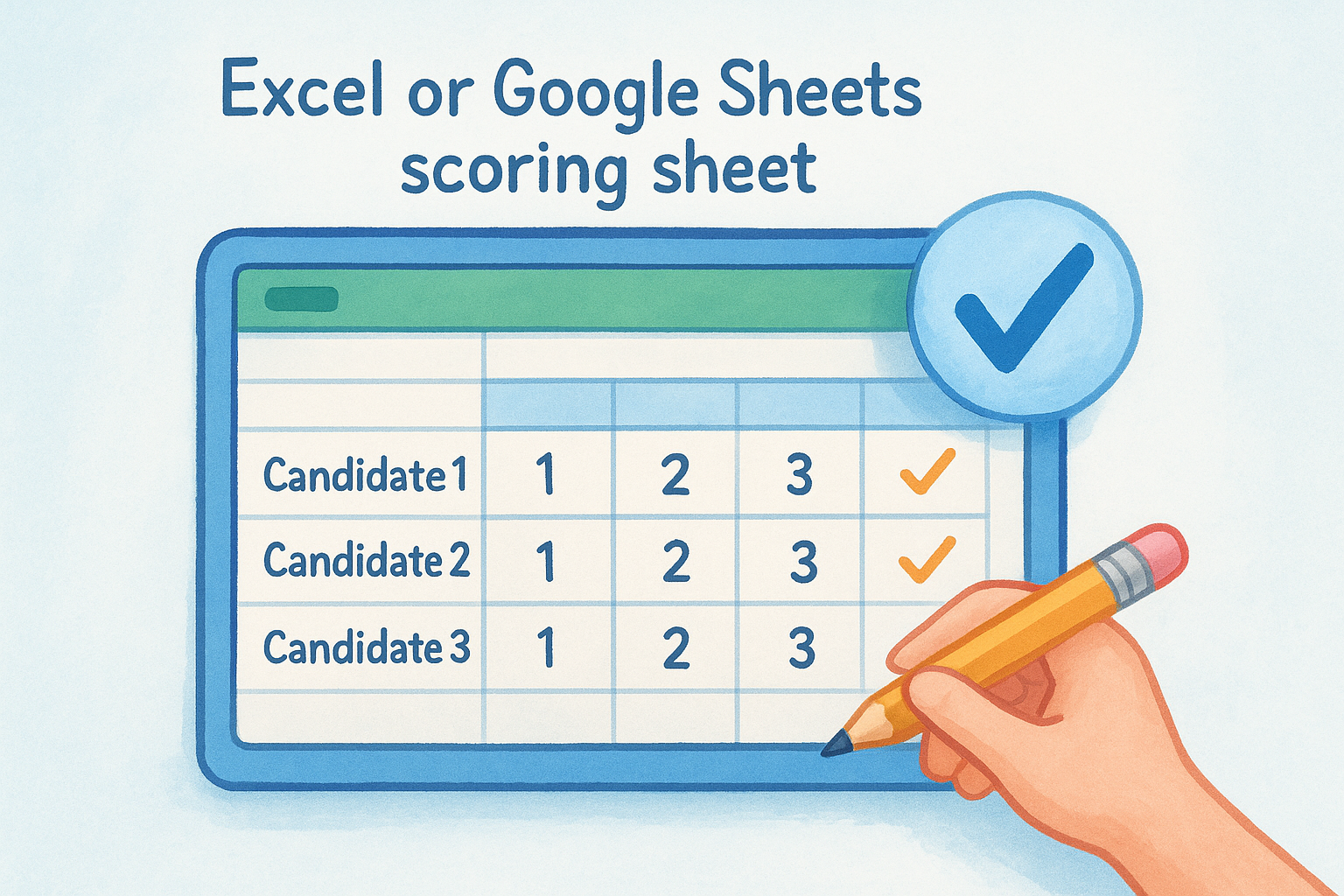
6. Excel or Google Sheets scoring sheet
A spreadsheet is not glamorous, but it solves a real problem: most hiring teams already have one open on their screen during interviews. Building your candidate feedback form template inside Excel or Google Sheets means interviewers work in a tool they already know, which removes the barrier of logging into yet another platform just to submit feedback.
What it is
An Excel or Google Sheets scoring sheet is a manually configured evaluation grid where each row represents a candidate and each column represents a competency or scoring criterion. You build the structure once, share the file with your interview team, and each reviewer fills in their scores and notes directly.
When it works best
This option works best for small teams running a single open role where one or two interviewers need a lightweight way to compare candidates without setting up a form tool or ATS. If your process is simple and your candidate volume stays low, a well-structured spreadsheet covers the basics without adding software overhead.
A shared spreadsheet breaks down fast once multiple interviewers edit simultaneously or your role count grows past two or three positions at once.
What you can capture and score
You can add numerical rating columns, dropdown validation lists, weighted scoring formulas, and open-text comment cells to any spreadsheet. Google Sheets lets you use data validation to restrict rating inputs to a defined scale, which prevents interviewers from entering inconsistent values that skew your averages.
Setup and workflow
Open a blank Google Sheet or Excel workbook, create column headers for each competency you want to score, and add a row for each candidate. Share the file with your interviewers using view or edit permissions as appropriate, then collect scores after each interview round.
Pricing and access
Both tools are accessible at no direct cost in their base forms. Google Sheets is free with any Google account, and Excel is included with Microsoft 365 subscriptions starting at $6 per user per month.
7. Word or Google Docs structured evaluation form
A Word document or Google Doc gives you a printable, shareable evaluation form that interviewers can fill in during or immediately after an interview. This approach requires no account setup beyond what your team already uses, and it gives you full control over the visual layout and question structure without working inside a form builder's constraints.
What it is
A Word or Google Docs evaluation form is a manually designed document that you format with tables, text fields, and rating scales directly inside a word processor. You create the template once, duplicate it per candidate or per interview round, and distribute it however your team communicates already, whether that is email, shared drives, or a messaging app.
When it works best
This format works best when your interviewers are conducting in-person or phone interviews and want something they can print, annotate by hand, and scan or type up afterward. Small teams running one or two roles at a time with a single interviewer per candidate get the most out of this option before coordination complexity makes it impractical.
A structured Word or Docs form serves as a solid starting candidate feedback form template when your process is still taking shape and you want flexibility before committing to a platform.
What you can capture and score
You can include competency rating tables, open-text observation boxes, and a final recommendation section using basic document formatting. Tables work well for side-by-side scoring criteria, and checkboxes in Google Docs let interviewers mark ratings without needing to type a number.
Setup and workflow
Open a blank Google Doc or Word file, build a table with your evaluation criteria, and save it as a reusable template. Share copies through Google Drive or email before each interview, then collect completed forms in a shared folder.
Pricing and access
Google Docs is free with any Google account. Word is included with Microsoft 365 subscriptions starting at $6 per user per month.

Next steps
The right candidate feedback form template depends on where your team is today. If you are just starting out, a Google Doc or spreadsheet gets you moving faster than any platform setup ever could. If you are managing multiple open roles and several interviewers, you need a solution that keeps feedback automatically connected to the right candidate and stage without manual coordination work slowing everything down.
Olibr gives you built-in scorecards, a full ATS at no cost, and AI-powered interviews (10 free, then ₹99 each), so your team can shift from scattered, inconsistent feedback to structured, defensible hiring decisions without adding a single line to your software budget. Every feature, including the candidate database with over 180,000 profiles, is available from day one with no paid tiers or feature gates blocking your access.
Start hiring smarter with Olibr and bring your entire interview evaluation process into one place where your whole team can work from the same data.
For hiring teams
Search 180,000+ candidate profiles — free.
Olibr is a community-funded recruiting platform: full ATS, AI interviews, and a shared resume database. No per-seat fees.