Recruiting CRM vs ATS: What's the Difference?
You post a job, candidates apply, and within a week you've got a folder full of resumes and no clear system to manage any of it. Then someone on your team asks if you need a CRM too, and suddenly you're not sure what you're actually paying for. This confusion is common when comparing recruiting crm vs ats, and it costs recruiters real money when they buy overlapping tools that solve the same problem twice.
Here's the short answer: an applicant tracking system manages candidates who applied to a specific job, moving them through pipeline stages until you hire someone. A recruitment CRM built for agencies manages relationships with people who haven't applied yet, your passive talent pool, past applicants, and dormant profiles sitting in old databases. One handles active requisitions, the other handles long-term sourcing and nurturing.
In this article, you'll see exactly where ATS and CRM functions differ, where they overlap, and how staffing agencies and in-house teams typically end up needing both. We'll also cover why some ats and crm software now ships combined, and how that shift changes what you should look for before signing another contract.
Why the CRM vs ATS distinction matters for hiring
Most hiring teams don't set out to buy redundant software. It happens gradually. You start with an ATS to manage job applications, then six months later a sales-minded vendor convinces you that a recruitment CRM will fix your sourcing problem, and now you're paying two invoices for tools that both claim to "manage candidates." Understanding recruiting crm vs ats upfront saves you from this exact trap, because the two systems are built around different questions. An ATS asks: who applied, and where are they in my pipeline? A CRM asks: who do I know, and when should I reach out again?
The cost of buying the wrong tool for the job
Buying an ATS when you actually need a CRM (or the reverse) doesn't just waste budget, it creates workflow gaps your team has to patch manually. Recruiters end up exporting spreadsheets, tagging candidates in email folders, or building duplicate tracking systems in Notion because the software they paid for doesn't do the one thing they need. Staffing agencies feel this hardest, since they're constantly re-engaging past candidates for new roles, a CRM function, while also running structured hiring pipelines for active clients, an ATS function.
If your team is manually re-uploading the same resumes every quarter, you're not missing a feature, you're missing the right system.
What happens when candidate data lives in the wrong system
Here's the practical failure mode: a candidate applies for a role in March, doesn't get hired, and your ATS marks them as "rejected" or archives them entirely. Six months later a perfect-fit role opens up, but nobody remembers that candidate exists because the ATS was never designed to nurture inactive profiles. That's a candidate database problem, and it's exactly what a CRM solves by keeping relationships alive between requisitions instead of closing the door the moment a job closes.
The reverse mismatch happens too. Teams that lean entirely on CRM-style relationship tools sometimes lack the structured pipeline stages, interview scheduling, and offer-tracking that a real hiring process needs once a candidate is actively moving toward an offer. Trying to run active requisitions through a loose CRM often means losing track of who's next in an interview loop.
Where the line blurs in practice
In day-to-day recruiting, the boundary between ats crm software isn't always clean. A candidate can be sourced through CRM-style outreach, dropped into an ATS pipeline once they apply, get rejected, and then need to go straight back into CRM-style nurturing for the next opening. If your systems don't talk to each other, that candidate effectively disappears at each handoff point.
This is why the distinction matters beyond terminology. It shapes:
- How much time recruiters spend re-sourcing people they've already found once
- Whether past applicants ever get revisited for new roles instead of sitting untouched
- How much duplicate software your team ends up paying for to cover the same candidate lifecycle
- Whether your team has one source of truth for candidate history, or three conflicting ones
Getting this right isn't about picking the trendier acronym. It's about matching software to the actual stage of the hiring relationship you're managing.
How to decide whether you need an ATS, a CRM, or both
Start with a simple test: count how many active job requisitions your team runs in a typical month. If you're mostly reacting to open roles, posting jobs, screening applicants, and moving them through interviews, an ATS alone probably covers your needs. Small in-house teams hiring for a handful of roles per quarter often fall into this category, and paying for a separate CRM would just add complexity without solving a real problem.
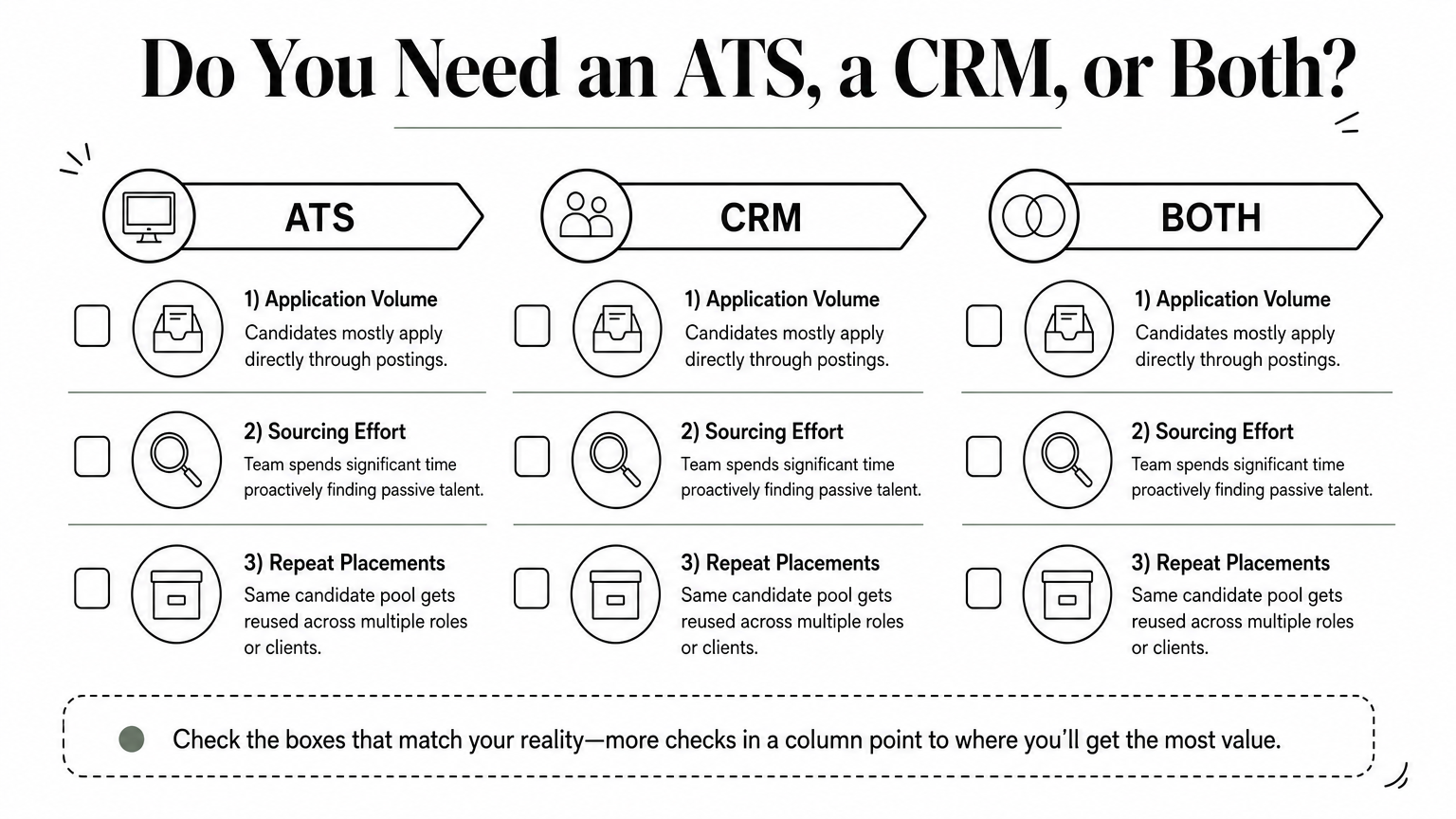
Agencies and high-volume recruiters usually need both, and here's why. You're not just filling today's requisitions, you're building a reusable pool of talent for roles that don't exist yet. That's the core of the recruiting crm vs ats decision: it comes down to whether your business model depends on repeat placements from the same candidate pool, or one-off hires per role.
Buy the ATS for the job you're filling today. Buy the CRM for the candidates you'll need again next quarter.
A quick decision checklist
Run through these questions before signing anything:
- Do candidates apply directly through job postings, or do you spend more time proactively sourcing passive talent? Heavy sourcing points toward CRM needs.
- Do you rehire from the same talent pool across multiple clients or roles? If yes, dormant profiles need a home outside the ATS.
- How many recruiters touch each candidate record? Larger teams need CRM-style tagging and notes to avoid duplicate outreach.
- What happens to rejected candidates today? If the honest answer is "nothing," you're leaving a CRM function unfilled.
Organizations that answer yes to most of these end up needing combined ats crm software rather than two disconnected tools. Staffing agencies almost always land here, since their revenue depends on reusing candidate relationships across client accounts, not just closing single requisitions.
Small in-house teams sometimes get away with ATS-only setups for a year or two, but growth changes the math fast. The moment you're managing more than two or three open roles simultaneously, or your rejected-candidate pile starts feeling like a wasted asset, it's worth checking whether an ATS that costs nothing to run already includes CRM-style candidate reuse instead of forcing you to buy a second tool later.
Comparing ats and crm software features side by side
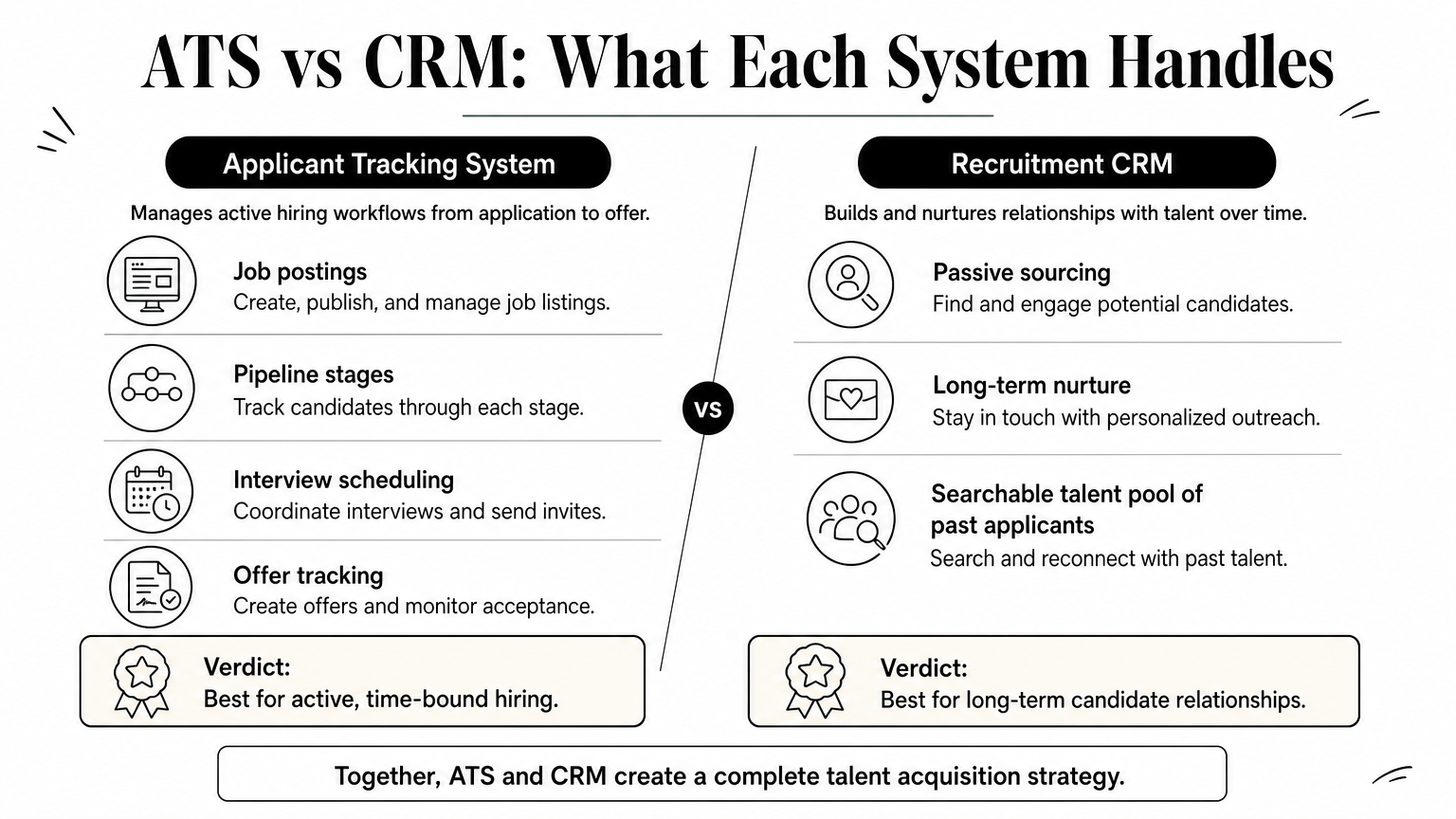
Once you understand what each system is built for, the feature list makes a lot more sense. Some capabilities overlap, some are exclusive to one side, and a few only show up in combined ats crm software. Look at the table below before you evaluate any vendor demo, since sales teams love to blur these lines.
| Feature | ATS | CRM | Combined ats and crm software |
|---|---|---|---|
| Job posting and applicant intake | Yes | No | Yes |
| Pipeline stages per requisition | Yes | Limited | Yes |
| Passive candidate sourcing and tagging | No | Yes | Yes |
| Long-term nurture campaigns | No | Yes | Yes |
| Resume parsing at scale | Usually | Sometimes | Yes |
| Talent pool search across old applicants | Rarely | Yes | Yes |
| Interview scheduling and offer tracking | Yes | No | Yes |
| Team collaboration on candidate notes | Yes | Yes | Yes |
Where each system pulls its weight
Notice that only three rows are shared by both systems on their own: pipeline visibility, collaboration notes, and (partially) resume parsing. Everything else is exclusive territory. An applicant tracking system wins at structured, time-bound hiring, moving one candidate from application to offer letter. A recruitment CRM wins at everything that happens before and after that window, building a searchable pool you can return to without starting sourcing from zero.
A tool that's great at moving candidates through a pipeline is rarely the same tool that's great at keeping candidates warm for months.
Why the gaps matter more than the overlaps
Here's the part vendors don't advertise: the rows where ATS or CRM alone shows "No" or "Rarely" are exactly where recruiting teams lose candidates today. If your current stack can't parse thousands of old resumes or search across applicants from six months ago, you're not missing a minor feature, you're missing the mechanism that turns dormant data into hires. This is where a combined platform earns its keep. Instead of stitching together a job board, an ATS, and a separate database subscription, one system covers intake, nurture, and search in a single record per candidate. That consolidation is also the practical argument for ats and crm software built as one product rather than two integrations duct-taped together.
How to get ats crm software benefits without extra cost
Most recruiters assume combined ats crm software means a bigger invoice, since bundling features usually costs more than a single-purpose tool. Olibr flips that model. Instead of charging a subscription for CRM-style candidate reuse, it runs on a contribution system: you contribute dormant, no-longer-active profiles from your own database, and in return you unlock access to a shared pool of 180,000+ verified candidates plus the full ATS. You're not paying cash for the CRM half of the equation, you're paying with data you already have and aren't using anyway.

The candidates already sitting unused in your database are worth more than another software subscription.
Think about what's actually sitting in your ATS right now. Every recruiter has hundreds, sometimes thousands, of profiles from roles that closed months ago. Those people never got a callback, and most tools let that data rot. Olibr's free ATS treats that same archive as inventory. Contribute 50 profiles per active user every 30 days to keep access free, bulk parse resumes (PDF, DOCX, or CSV) with the first 50 per company free and INR 1 per resume after that, and search a much larger community-powered pool by skill, experience, and location, the exact function a standalone CRM would normally charge you for.
What you get without a second contract
Here's what ships in the same platform, at no added subscription cost:
- Unlimited job postings and an integrated job board tied to applicant tracking
- AI matching that ranks candidates against your job description instead of relying on keyword search alone
- AI-powered video interviews with scored transcripts for screening at scale
- Role-based permissions and unlimited team seats, so growth doesn't trigger per-seat pricing
Agencies bound by NDAs or retained-search contracts don't have to sit this out either. Private paid plans give you the same platform and full data separation without contributing candidate profiles to the shared pool. Either way, you get the CRM-style reuse mechanic without stacking a second vendor relationship on top of the ATS you already run day to day.
Finding the right fit for your hiring process
The recruiting crm vs ats debate isn't really about picking a winner. It's about recognizing that active hiring and long-term candidate relationships are two different jobs, and most growing teams eventually need both handled well. An ATS keeps your current requisitions moving. A CRM keeps yesterday's applicants from turning into tomorrow's forgotten spreadsheet row. Buying them as separate subscriptions works, but it's rarely the cheapest or simplest path once your team scales past a handful of open roles.
Olibr closes that gap by combining both functions into one free platform, funded by data you already have sitting unused rather than another monthly invoice. You get structured pipelines, a searchable community pool, and AI screening without stacking vendors. If you're ready to stop paying twice for the same candidate lifecycle, create a recruiter account at no cost and see what your dormant profiles are actually worth.
For hiring teams
Search 180,000+ candidate profiles — free.
Olibr is a community-funded recruiting platform: full ATS, AI interviews, and a shared resume database. No per-seat fees.