ATS Software Solution: What It Is and How It Works
If you manage hiring for a growing team, you have probably typed ats software solution into Google trying to figure out what these tools actually do before you commit to one. Recruiters get buried in resumes, spreadsheets, and email threads, and a good chunk of them are still tracking candidates manually or paying for tools that only handle half the job.
An ATS software solution is simply a system that organizes your hiring pipeline: job postings, applications, resume screening, and candidate communication, all in one place instead of scattered across inboxes. The applicant tracking system parses resumes, moves candidates through stages like a kanban board, and gives your team a shared view of who is where in the process, which is exactly what recruiters mean when they ask how ATS software actually works day to day.
This article breaks down what an ATS does and the value it delivers, the core features you should expect, and how these systems differ from a full recruitment platform that also includes a candidate database and job board. Along the way, we will point out where free options like Olibr fit, since not every team needs to pay for a stack of separate tools to get the same result.
Why an ATS software solution matters for recruiters
Hiring without a proper system usually means juggling five different tools at once: a spreadsheet for tracking candidates, an inbox full of resumes, a job board login, and a separate notes doc for interview feedback. That patchwork breaks down fast once you are hiring for more than one role. An applicant tracking system fixes this by giving every recruiter on your team one shared view of the pipeline, so nobody loses track of who already got a callback or which candidate ghosted three weeks ago.
The real cost of manual tracking
Recruiters who skip an ATS pay for it in time, not money. Sorting resumes by hand, re-entering candidate details into a recruitment CRM, and chasing status updates across email threads all add days to your time-to-hire, which is why most teams looking to speed up hiring without cutting corners start with their admin work. Agencies juggling multiple clients feel this the hardest, since a single missed follow-up can cost a placement and quietly push your cost per hire higher. Teams that switch to a real ATS built for agency recruiting workflows typically compress interview scheduling and screening into a fraction of the time, which directly lowers cost per hire because fewer recruiter-hours go into each placement.
An ATS does not just organize resumes, it removes the hours recruiters lose chasing information that should already be visible.
What changes once you add an ATS
Once a system is in place, hiring stops feeling like triage. Resume parsing software reads incoming applications automatically instead of forcing someone to retype names, skills, and contact details. Structured stages replace guesswork, so a recruiter can glance at a kanban board and know exactly where 40 candidates stand without opening a single email, which is how an ATS parses and ranks applicants behind the scenes.
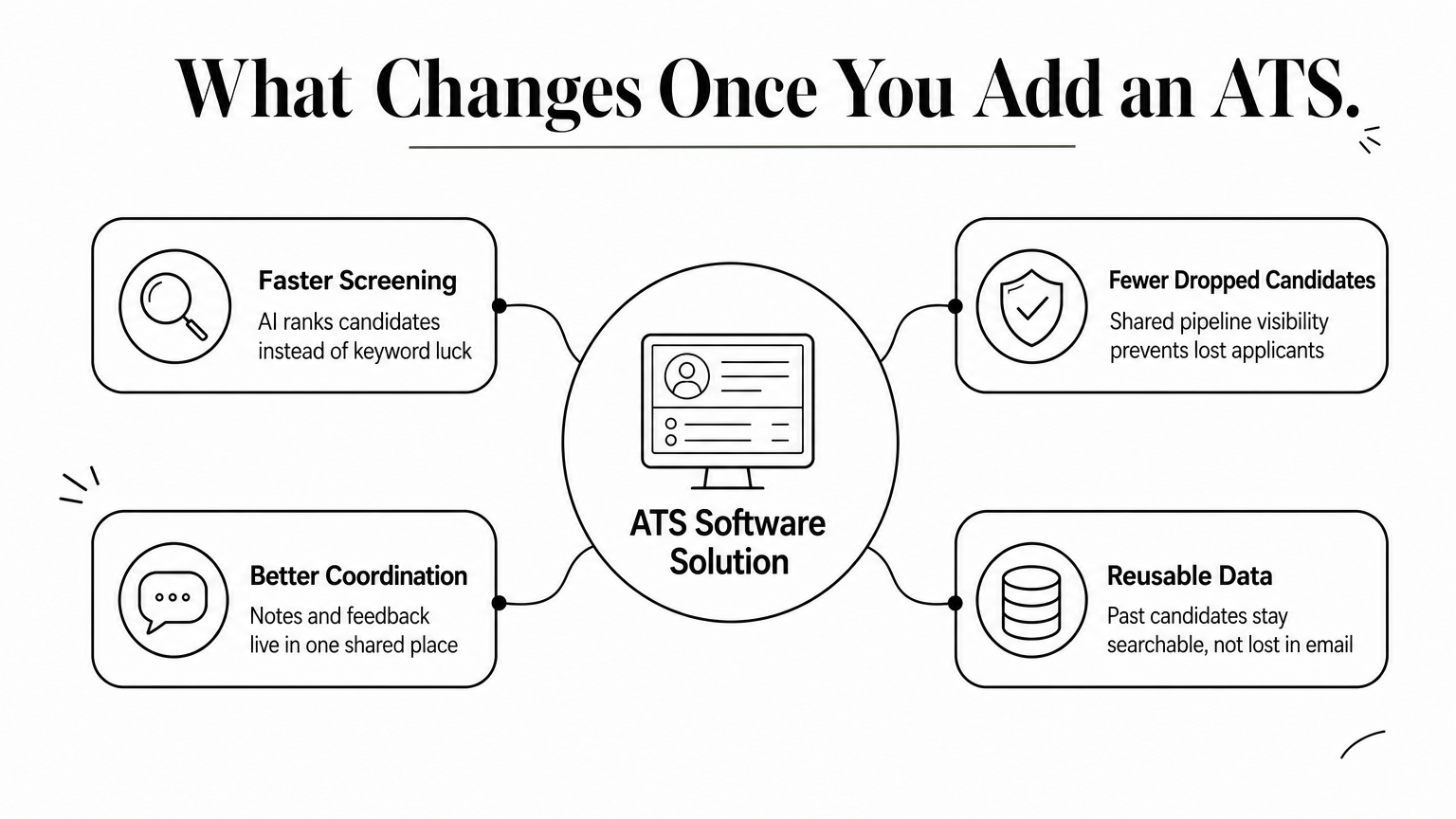
- Faster screening: parsed resumes and AI recruiting tools rank candidates against the job description instead of relying on keyword luck.
- Fewer dropped candidates: shared pipeline visibility means no one falls through the cracks between recruiters.
- Better team coordination: notes, interview feedback, and hiring decisions live in one place instead of scattered threads.
- Reusable data: past candidates stay searchable instead of disappearing into old email folders.
Small recruiting teams and in-house HR staff both feel this shift immediately, since even a two-person hiring team benefits from not re-explaining candidate history every time a new role opens.
How to implement an ATS in your hiring process
Rolling out an ATS software solution works best when you treat it as a process change, not just a software install. Start by mapping your current hiring stages (sourcing, screening, interviews, offer) so the ATS mirrors how your team already works instead of forcing a new workflow on day one. Skipping this step is why some rollouts stall: recruiters revert to spreadsheets because the tool feels foreign rather than familiar.
The fastest ATS rollouts copy your existing hiring stages first and add automation second.
Steps to a smooth rollout
Getting a recruitment platform running across a team takes more than creating an account. Follow a sequence that limits disruption to active job openings:
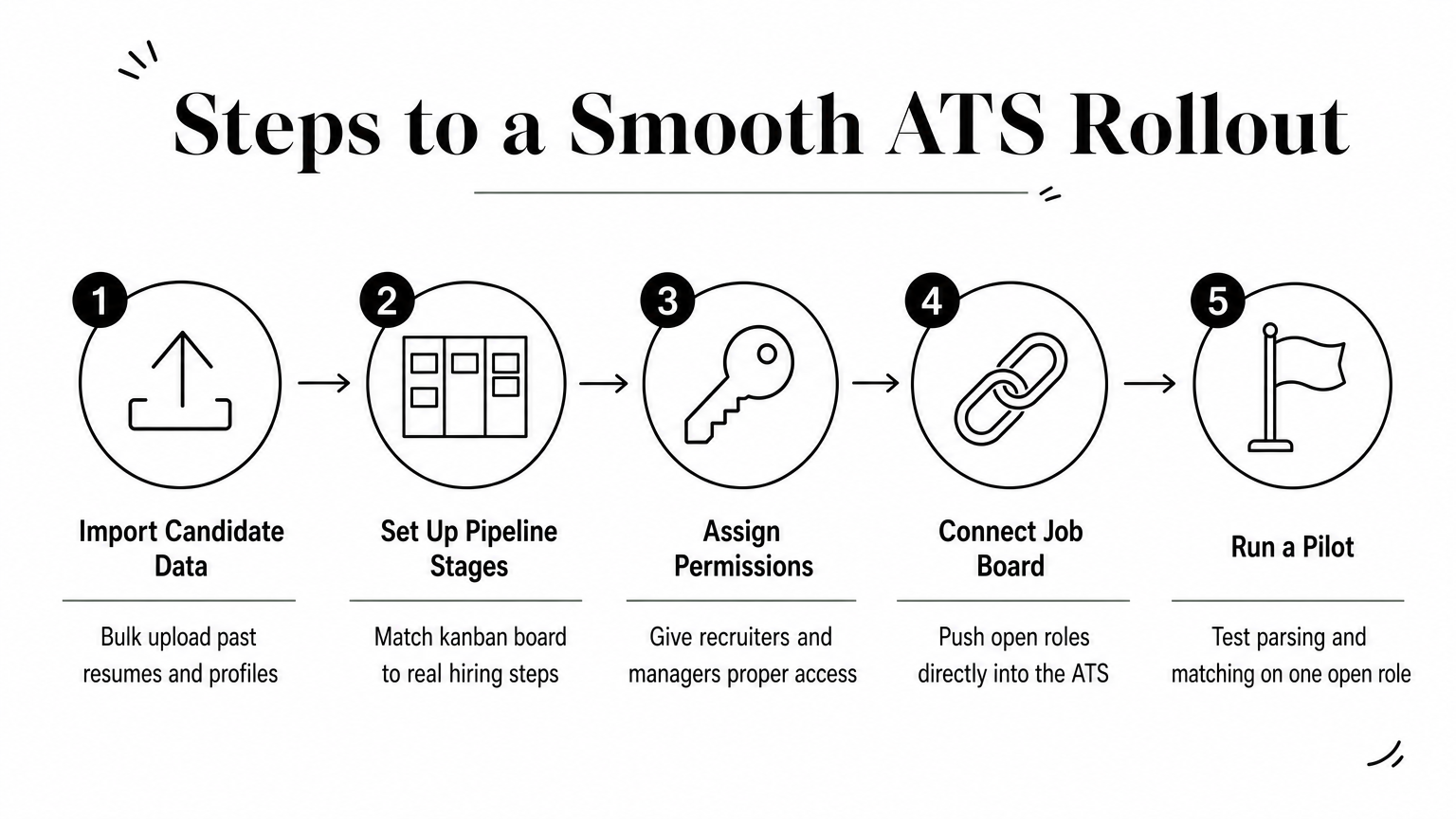
- Import existing candidate data. Bulk upload past resumes and profiles so your candidate database isn't starting from zero.
- Set up pipeline stages. Match the kanban board to your real hiring steps, not a generic template.
- Assign role-based permissions. Give recruiters, hiring managers, and admins the right access levels from day one.
- Connect your job board. Push open roles live so applications flow directly into the ATS instead of a separate inbox.
- Run a pilot with one open role. Test resume parsing and AI matching before rolling out to the whole team.
Teams using Olibr's ATS skip a lot of this friction since bulk parsing handles up to 10,000 profiles at once, and the shared candidate network is already searchable on day one. That means your time-to-hire improvement starts during the pilot, not months after full adoption.
Key features to look for in ATS software
Not every tool that calls itself an applicant tracking system does the same job, so it helps to know which features actually move the needle versus which ones just look good on a sales page. A basic ATS handles job postings and resume storage. A stronger ats software solution goes further, parsing resumes automatically, ranking candidates with AI, and giving your whole team a shared workspace instead of isolated logins.
Core capabilities every ATS needs
Start by checking whether the system offers real resume parsing software, not just file storage. Parsing should pull skills, experience, and contact details automatically so recruiters aren't retyping data from PDFs. Pipeline stages should mirror a kanban board, letting you drag candidates through screening, interviews, and offers without exporting spreadsheets.
A tool that still requires manual data entry isn't really an ATS, it's a filing cabinet with extra steps.
Features that separate basic tools from full platforms
Beyond parsing and pipelines, look at collaboration and reach. Role-based permissions matter once more than one recruiter touches a requisition. Bulk upload capacity matters if you're migrating years of candidate history at once.
| Feature | Basic ATS | Full recruitment platform |
|---|---|---|
| Resume parsing | Limited formats | PDF, DOCX, CSV, bulk |
| Candidate database | Your data only | Shared talent network |
| AI matching | Keyword-based | Skill and context ranking |
| Video screening | Not included | AI-scored interviews |
Olibr's AI hiring suite with scored video interviews falls into that second column, ranking candidates against job descriptions instead of leaving recruiters to eyeball keyword matches.
Free vs paid ATS solutions: which fits your team
Paid ATS platforms often charge per seat, per job posting, or per month of candidate storage, and the reasons ATS pricing climbed this high explain why those costs stack up fast once a team grows past two or three recruiters. A free ats software solution removes that barrier, but you need to check what "free" actually includes before switching your whole pipeline over.
What free plans usually cover
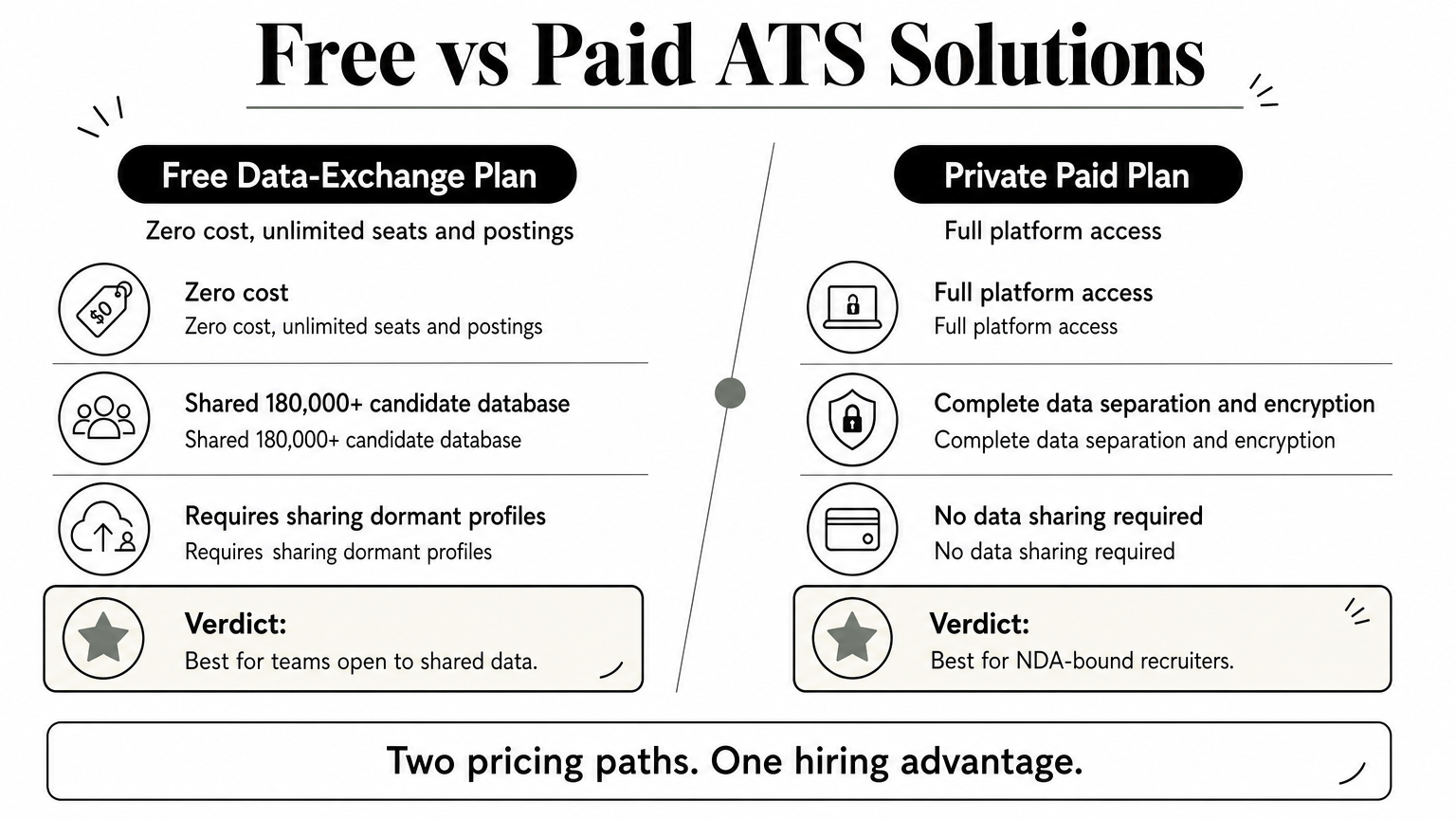
Most free applicant tracking systems cap out on seats, candidate storage, or job postings, forcing an upgrade the moment your team scales. Olibr's model works differently: it's funded by a data-sharing exchange instead of subscriptions, so contributing dormant profiles from your own database unlocks the shared candidate database of 180,000+ profiles plus unlimited seats and job postings at no cost.
The real price of a free ATS isn't money, it's whatever data or limits you trade to use it.
When a paid plan makes more sense
Retained search firms and NDA-bound recruiters often can't share candidate data at all. Olibr's ATS, CRM, job posting, candidate database, hiring-manager collaboration and candidate search are free, and access is kept by contributing 50 candidate profiles per active user every 30 days from your own database.
| Model | Cost | Data sharing required |
|---|---|---|
| Free (data-exchange) | $0 | Yes |
Choosing the right ATS for your hiring needs
Picking an ats software solution comes down to matching the tool to how your team actually works, not chasing whichever platform has the longest feature list. If you're a small agency drowning in spreadsheets, prioritize resume parsing and pipeline visibility first. If you're scaling across multiple clients, weigh whether a shared candidate database saves more time than it costs in data sharing.
Everyone gets more value from a free platform that replaces four separate subscriptions with one login. Either way, the goal is the same: less time spent on admin, more time spent talking to candidates who actually fit the role.
If you want to test this without committing to a contract or credit card, open a free recruiter account with full ATS access and see how the shared candidate pool handles your next open role.
For hiring teams
Search 180,000+ candidate profiles — free.
Olibr is a community-funded recruiting platform: full ATS, AI interviews, and a shared resume database. No per-seat fees.