6 Job Posting Best Practices To Attract Stronger Candidates
Most job postings fail before a single candidate clicks "Apply." They're vague, bloated with jargon, or so generic they blend into the hundreds of other listings a qualified professional scrolls past each week. The result? A flood of unqualified applicants and silence from the people you actually want to hire. Following proven job posting best practices can fix that, and it doesn't require a copywriting degree. It requires knowing what strong candidates look for and structuring your listing accordingly.
At Olibr, we've watched recruiters post thousands of jobs through our free ATS and seen firsthand which postings pull in top-tier talent and which ones collect dust. The patterns are clear, and most of the fixes are surprisingly simple. Whether you're hiring developers in the US or building a team in India, the principles stay the same.
This article breaks down six practices that consistently lead to better applicant quality, faster fills, and fewer wasted screening hours. Each one is something you can apply to your next posting today.
1. Use Olibr to publish, match, and iterate faster
Before you write a single bullet point, having the right platform changes what's possible. Olibr's free ATS connects your job listing directly to a database of 180,000+ candidate profiles, so you're not posting blind. You can publish, review real applicant data, and refine your listing in one place instead of guessing at what works.
What to set up in Olibr before you write
Start by uploading your existing resume files if you haven't already. Contributing your resumes is what keeps your access open, which unlock full access to Olibr's candidate search and AI matching tools. Before drafting anything, run a quick search using your target role's core skills and experience level to see who's actually available. Set up the following before you open a blank job post:
- Define the role's required skills and minimum years of experience
- Filter the candidate database by location and domain to see your real talent pool
- Note the most common career backgrounds among strong-matching profiles
How to draft a job post that matches real candidates
Once you know what your candidate pool looks like, use that data to shape your language. If most strong profiles show hands-on experience rather than certifications, your posting should reflect that priority. Olibr's AI matching analyzes your job description against actual resumes, so writing with specificity gives the algorithm more signal and surfaces better fits from the start.
The more precise your job description, the more relevant candidates Olibr's AI can surface automatically.
How to use candidate data to tighten the post
After your first applicants come in, check the match scores and profile summaries Olibr generates. If top-scoring candidates share traits you didn't emphasize, update the posting to highlight those directly. This iterative loop is one of the most underused job posting best practices available, and Olibr makes it practical because you can edit and republish without losing your applicant history.
Mistakes to avoid when relying on AI suggestions
AI matching works best when your input is clean and specific. Avoid copying bloated job descriptions from other sources without editing, because vague language confuses the algorithm just as much as it confuses candidates. Also, don't treat the AI's ranking as a final decision. Use it as a first filter, then apply your own judgment before moving anyone to an interview stage.
2. Use a clear job title and exact location details
Your job title is the first filter candidates apply before they even open your posting. If it doesn't match what they're searching for, your listing won't appear in their results regardless of how strong the content inside is. Job titles and location details are two of the most searchable fields on any platform, so getting them right is one of the foundational job posting best practices that improves visibility immediately.
How to choose a searchable job title
Use the title that matches what candidates actually type into search bars, not what your internal org chart labels the role. "Senior Software Engineer" consistently outperforms "Code Guru" or "Engineering Ninja." Check how competing listings phrase similar roles and align your title with the most common industry-standard terms in your target market.
Stick to recognized titles that reflect how candidates search, not how your company brands roles internally.
How to write location for onsite, hybrid, and remote roles
Be specific rather than vague. Write "Remote (US only)" or "Hybrid - 3 days onsite in Austin, TX" instead of listing "Flexible" or leaving the field blank. Candidates filter by location constantly, and ambiguous location entries push qualified applicants toward clearer listings from competing employers.
Where to place seniority and team context
Add seniority directly to the title, for example "Lead Product Designer" rather than burying the level in paragraph three. State which team the role sits within in the first two lines of the description so candidates immediately understand the reporting structure and scope.
Mistakes that hurt visibility on job boards
Avoid creative or unconventional job titles that no standard candidate search would surface. Skipping the location field entirely, or writing "various locations," also tanks your ranking because most job board algorithms filter heavily on geography before surfacing results to job seekers.
3. Lead with a role snapshot that sets expectations
The opening of your job posting does more filtering work than any other section. Strong candidates decide within the first few lines whether to keep reading, so your snapshot needs to answer the basics fast: what the role is, what it produces, and whether the opportunity fits their situation.
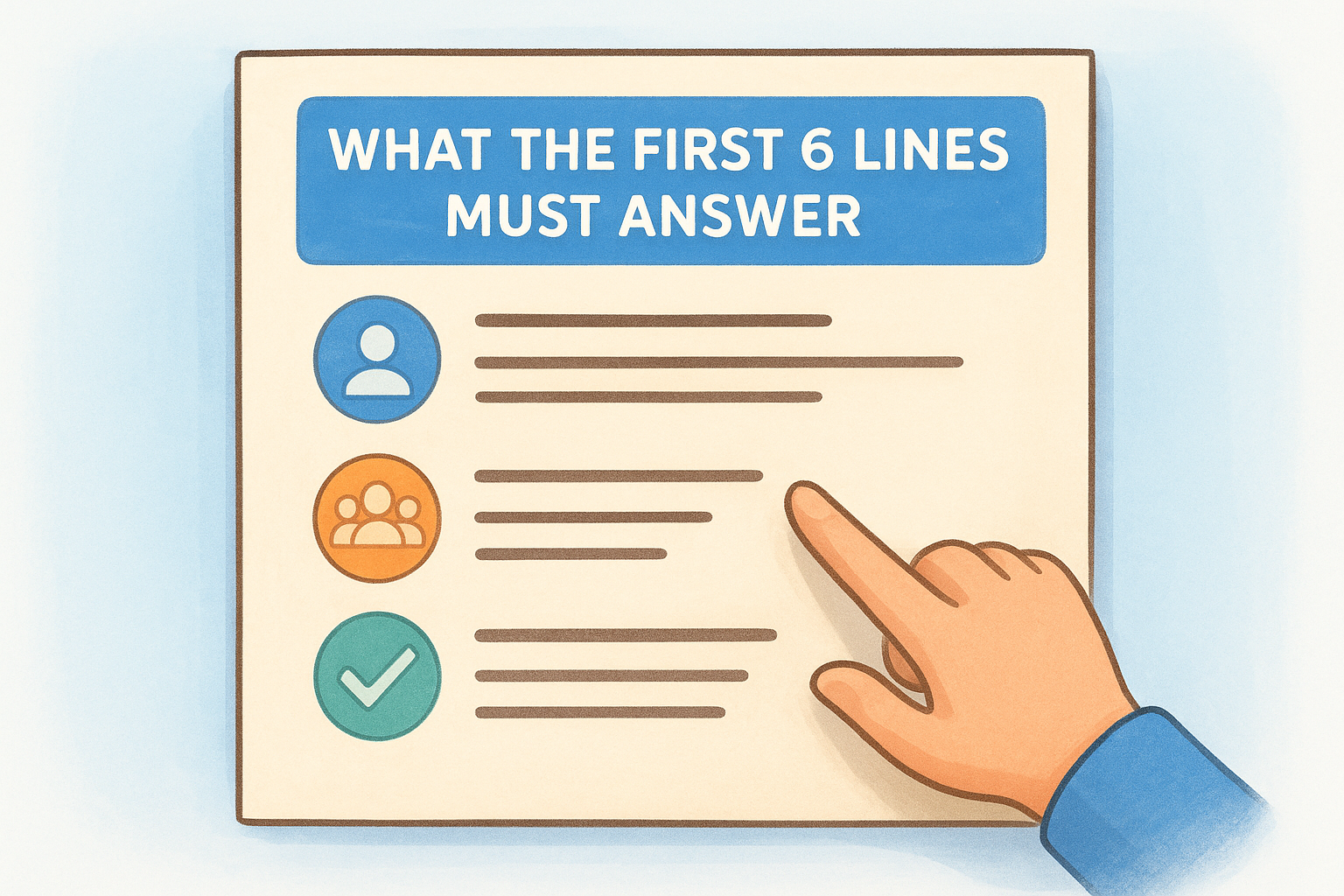
What the first 6 lines must answer
Your opening block should cover the core purpose of the role, the team context, the primary deliverable, and the general scope of ownership. If a candidate can't answer "what will I actually do here?" after six lines, you've already lost them.
How to describe impact without hype
Skip vague words like "transformative" or "innovative." Instead, describe concrete outcomes the role drives, such as "you'll own the onboarding flow for 10,000+ monthly users." Specific impact statements give candidates real information to evaluate instead of buzzwords to scroll past.
A single sentence describing a measurable outcome tells candidates more than three paragraphs of mission language.
What to share early to help candidates self-qualify
Include the key non-negotiables in your snapshot, such as domain, tech stack, or collaboration model. This is one of the most effective job posting best practices because it reduces mismatched applications before they reach your inbox. When candidates know what's required upfront, the ones who don't qualify remove themselves from consideration before you spend time reviewing their profiles.
Mistakes that create unqualified applicants
Opening with company history or a lengthy values section pushes critical role details below the fold. Candidates who apply without understanding the actual work requirements create unnecessary screening work that slows your entire hiring process.
4. Write responsibilities as outcomes and day-to-day work
A responsibilities section full of generic verbs like "manage" or "oversee" tells candidates almost nothing useful. Strong candidates evaluate whether a role matches their skills, and they need concrete information to do that. Rewriting your duties as a mix of measurable outcomes and actual daily work is one of the core job posting best practices that separates high-performing listings from forgettable ones.
How to turn vague duties into measurable outcomes
Replace duty-based language with result-based language in your listing. Instead of "manage social accounts," write "grow LinkedIn engagement by publishing three posts weekly and responding to comments within 24 hours." Pairing the task with the expected output gives candidates a realistic picture of what success looks like in the role.
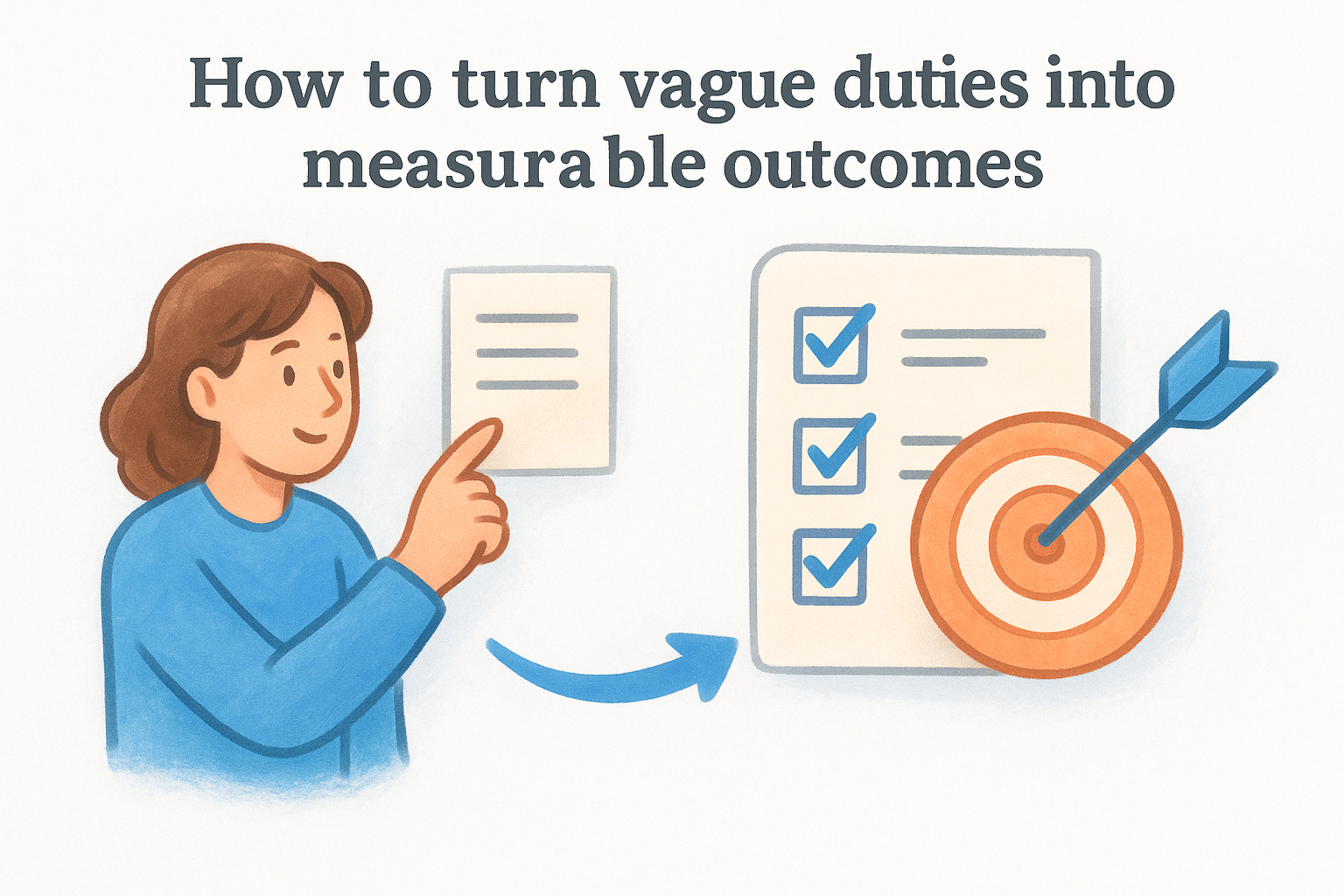
Outcome-focused responsibilities attract candidates who want ownership, not just task completion.
How to structure responsibilities for scanning on mobile
Most candidates read job listings on their phones, so dense paragraph blocks lose readers fast. Use a bulleted list of 6 to 10 items, with each bullet running one to two lines. Keep sentence structure parallel so the list scans quickly on any screen size.
How to add tools, workflows, and stakeholders without jargon
Name the specific tools the role uses, such as Salesforce, Figma, or Jira, and call out the key stakeholders the person works with regularly. This gives candidates practical context to match against their own experience without requiring them to decode insider terminology.
Mistakes that make the role sound like three jobs
Listing 20 or more responsibilities signals poor role definition and pushes qualified candidates away. Separate core duties from stretch goals, and if the scope is genuinely broad, state that clearly so candidates know what they are committing to before applying.
5. Put requirements, pay, and applying rules upfront
Hiding requirements or pay below the fold forces qualified candidates to guess whether they fit. Keeping these details front and center is one of the most overlooked job posting best practices you can apply to your next listing today.
How to separate must-haves from nice-to-haves
Split your requirements into two clearly labeled groups. This small structural choice helps candidates self-assess honestly and prevents strong applicants from ruling themselves out over an optional skill.
- Required: Skills and experience the role cannot function without
- Preferred: Skills that would help but are not blockers to hiring
How to keep language inclusive and legally safe
Review every requirement against the actual job need. Degree requirements and experience year caps narrow your pool without improving hire quality in many roles. Use skill-based language tied to real tasks, and avoid phrasing that signals age, gender, or cultural background bias.
Inclusive requirements don't just protect you legally - they expand the number of strong candidates who feel confident applying.
How to present pay range, benefits, and work model clearly
State your salary range and work model directly in the posting itself rather than holding it for a recruiter call. Listings with transparent pay consistently attract more serious applicants because candidates can evaluate the opportunity before investing time in interviews.
How to reduce application friction and drop-off
Limit your pre-application steps to three or fewer before a screening conversation. Long intake forms push strong candidates toward easier applications from competing employers. Tell applicants exactly what materials you need upfront so everyone arrives prepared.
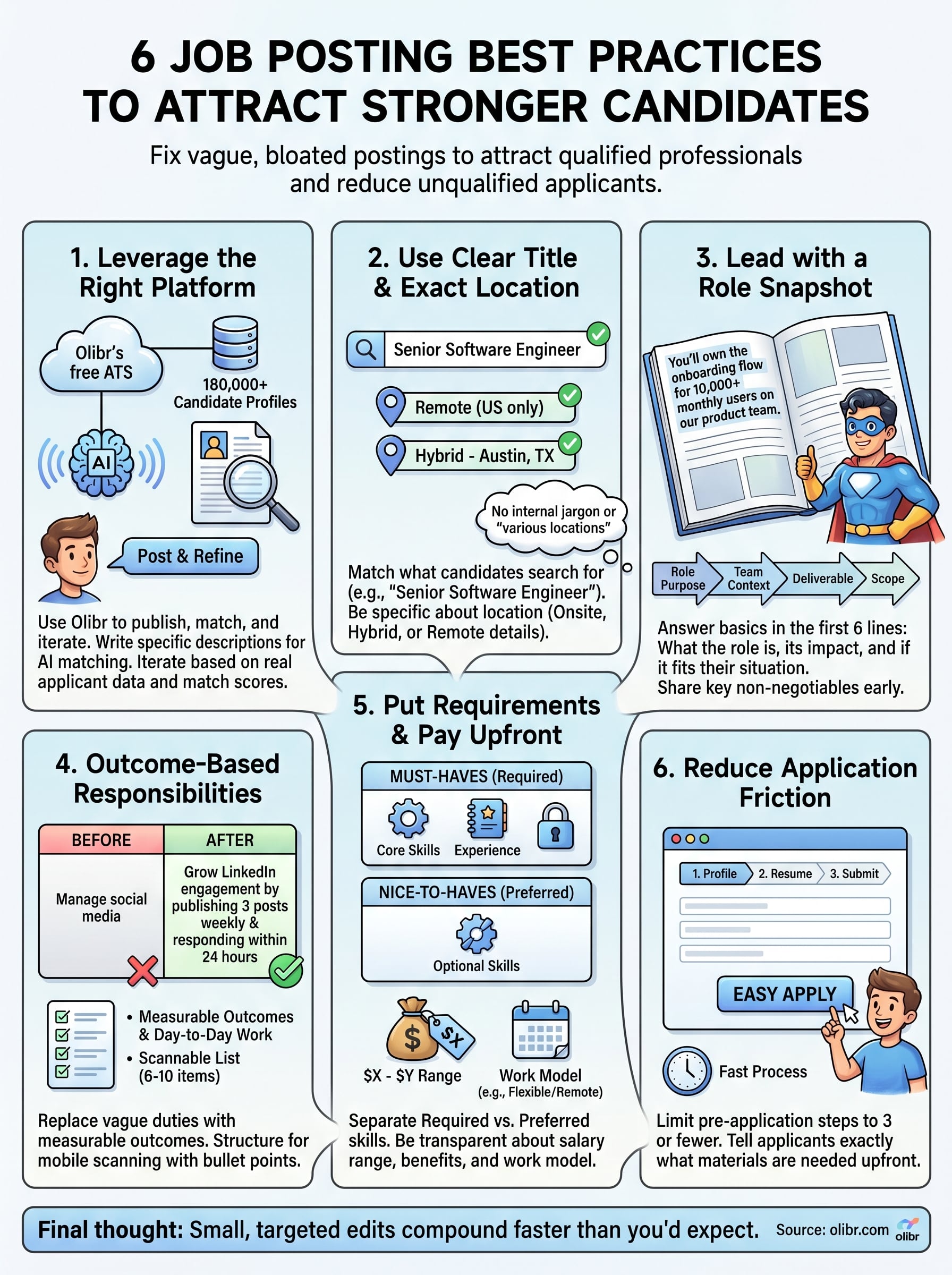
Final steps
These six job posting best practices give you a framework you can apply to every listing you write from here forward. Clear job titles, a focused role snapshot, outcome-based responsibilities, and upfront requirements each do specific filtering work before a single screening call happens.
Start with your next open role. Pick one or two sections from this guide where your current postings fall short, rewrite them, and track whether your applicant quality shifts. Small, targeted edits compound faster than you'd expect when every section of your posting works together.
If you want a platform that brings these elements together without charging you monthly fees, post your next job on Olibr and use the AI matching tools to see the difference accurate, specific job descriptions make when connected to a live database of 180,000+ candidate profiles. Better postings and better tools working together cut your time-to-hire faster than either one alone.
For hiring teams
Search 180,000+ candidate profiles — free.
Olibr is a community-funded recruiting platform: full ATS, AI interviews, and a shared resume database. No per-seat fees.